How do I change the profile image on my account?
Written By Danny Schaffer
You've got a new headshot and you want to use that in your marketing? No problem.
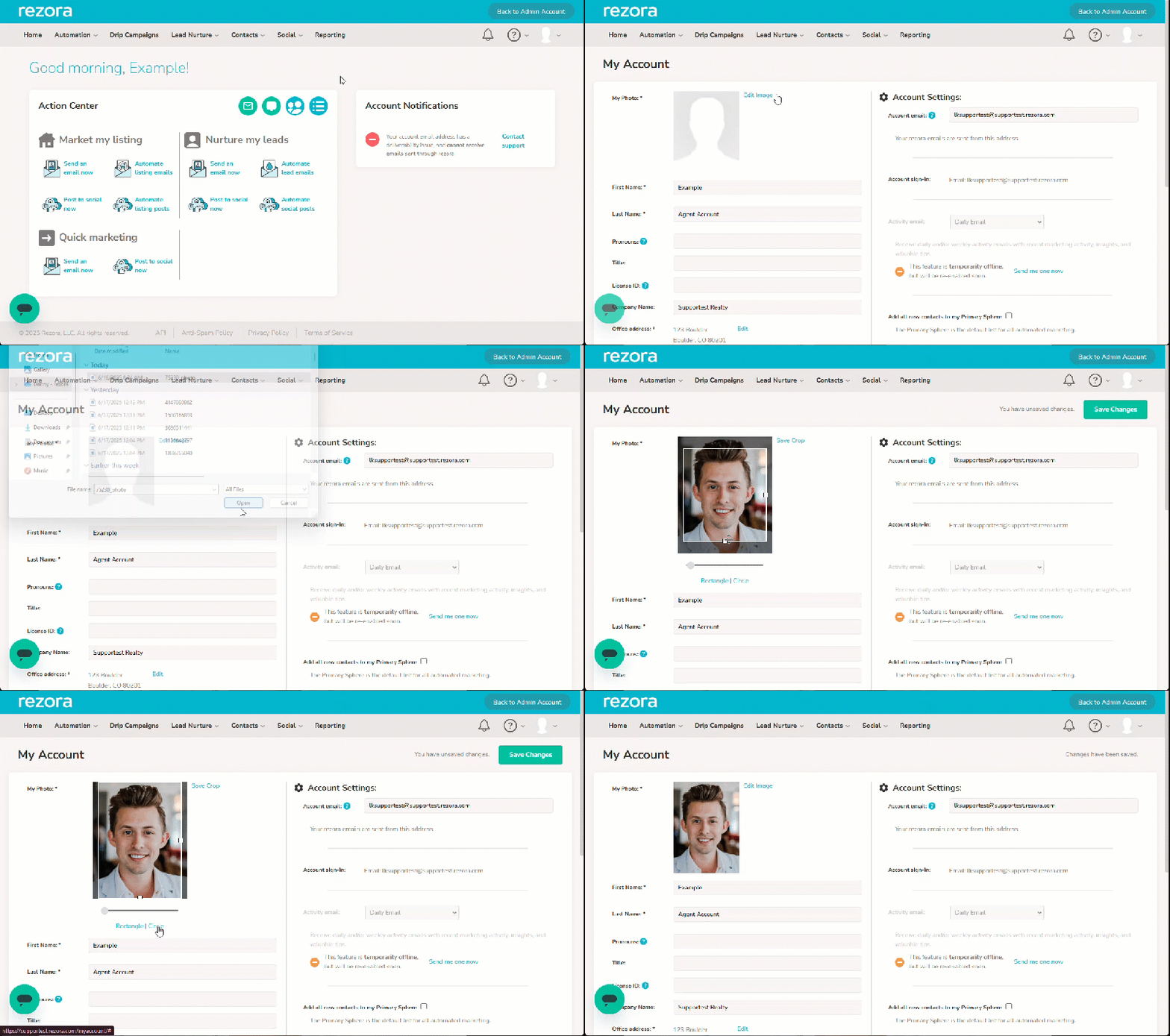
Head to your My Account page and click "Edit Image."
Select the image in question in your file manager.
Here you can select the cropping of the image. Images can either be rectangular or circular, depending on the option you select under the image. You can also use the slider to adjust the zoom in the cropping tool.
When you've got your cropping looking great, click the "Save Crop" button to the right of the picture. Don't forget to click Save Changes at the top right of the page. You need to use the Save Crop and Save Changes buttons to officially save your new profile image.