How do I edit the content or recipient list of an 'awaiting approval' automation email?
How to edit the content or recipient list of an automation email awaiting your approval.
Written By Danny Schaffer
One of the benefits of choosing the 'Approval Required' option for listing automation is that you'll be able to edit both the content and recipient list before you decide to send.
When an automation event is triggered with the “Approval Required” setting, the email will be available in your account. To make changes:
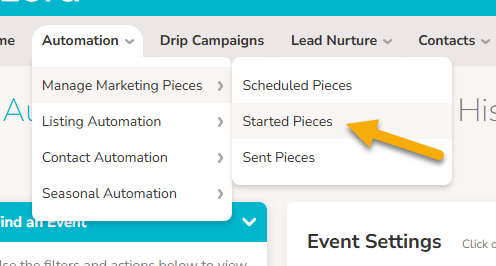
Head to the Listing Automation | Started Pieces page.
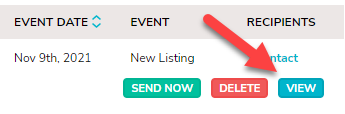
Find the created email then click “View”
Click Edit Content to make changes to the design or click Select Email Recipients to change your selected recipients.
When done click “Send Now” to send the email out.