How do I completely delete (purge) my account and all of its personally identifiable information?
How to permanently and irreversibly delete your rezora account and all personally identifiable information.
Written By Danny Schaffer
Before you begin
Deleting or purging your account is a destructive, non-recoverable action. Please make sure that you have obtained all information you want to have from your account before pursuing this.
If you have a subscription, we recommend first canceling your subscription and obtaining any invoices that you may want to have for future reference. See more about canceling your subscription here.
You'll also first want to export your Contacts and Distribution Lists. See how here.
Deleting your data
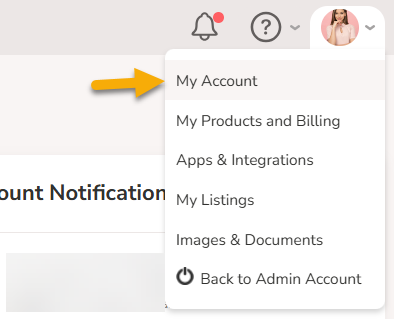
Now that you're ready to move forward, go to the Profile menu at the top right of the rezora app and select My Account.
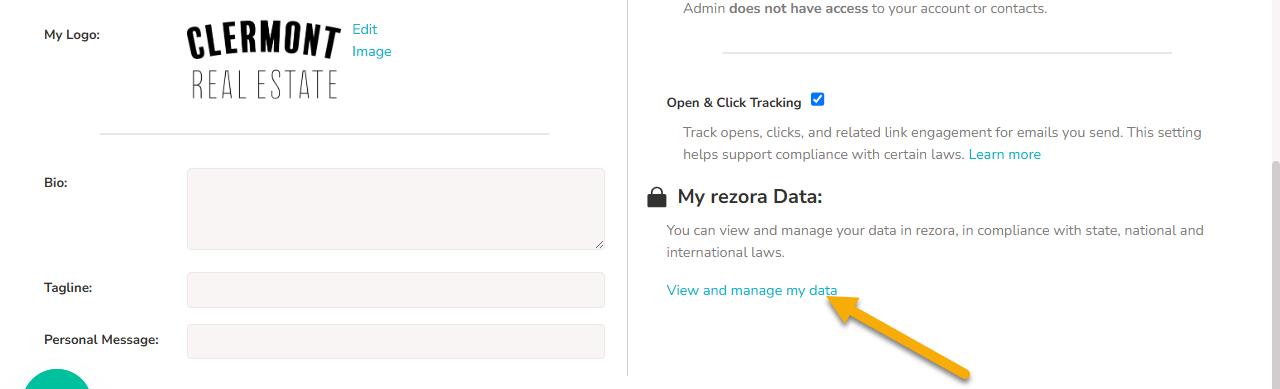
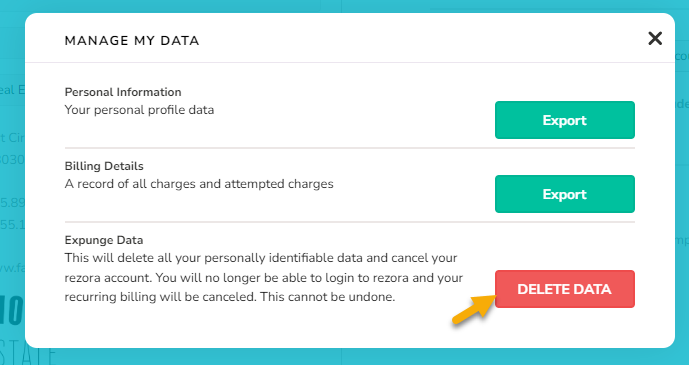
Scroll down and look for the My rezora Data section in the right column. Click "View and manage my data". Finally, click the Delete Data option and go through the confirmation steps.
NOTE: This is a destructive action and cannot be reversed.