How can I see who is engaging with my marketing materials?
View the engagement for a past sent email on the History page for Lead Nurture or Automation sends.
Written By Danny Schaffer
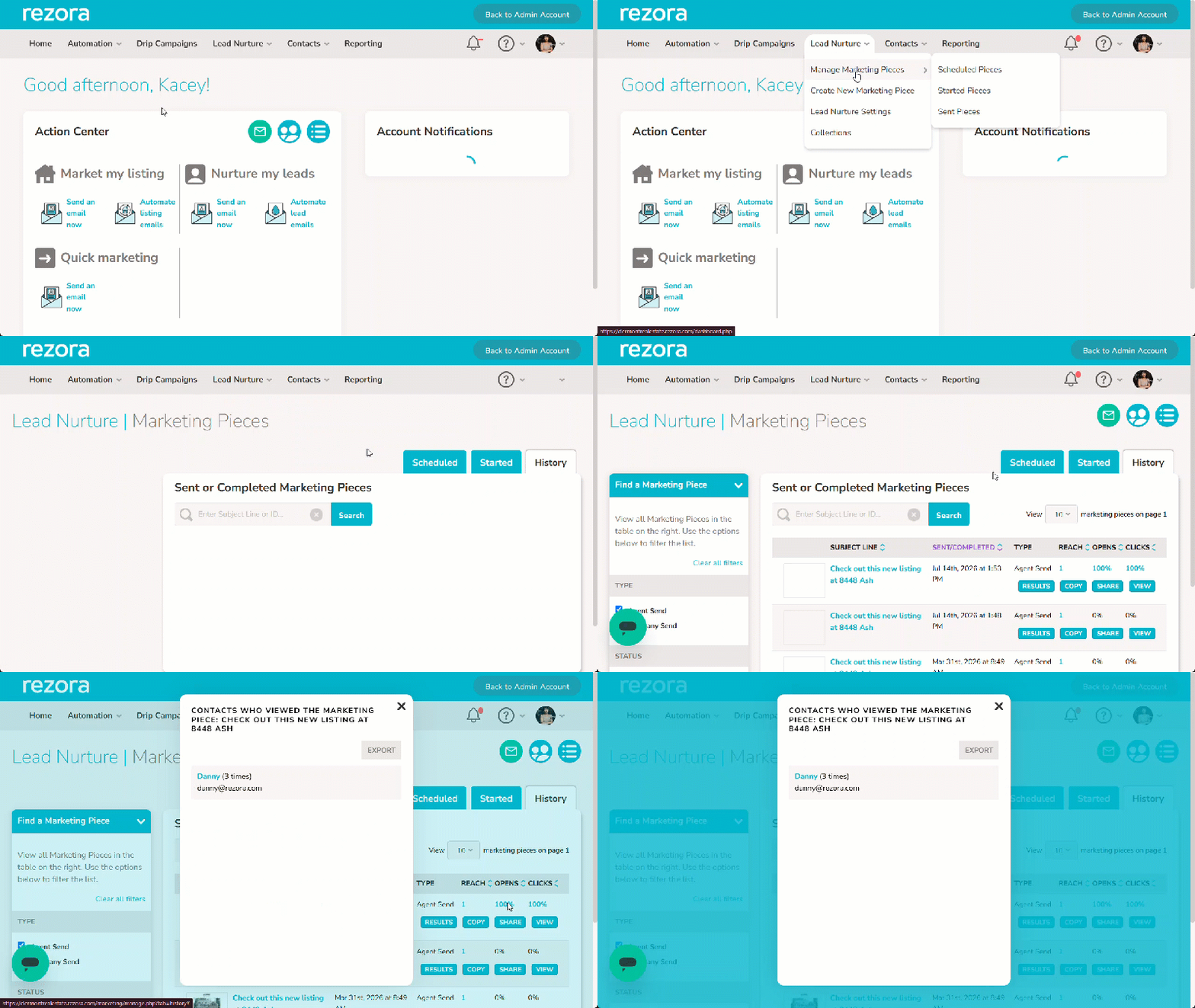
Go to the History page (“Lead Nurture > Manage Marketing Pieces > Sent Pieces” or “Automation > Manage Marketing Pieces > Sent Pieces” depending on how the email was created).
Find your email
Click the blue number under Reach, Opens, or Clicks.
Click Export to download the data, or click individual contacts to see their detailed activity.