How do I see who's not in any distribution list?
How to find and filter contacts that aren't in any Distribution List.
Written By Danny Schaffer
Head to the Contacts page.
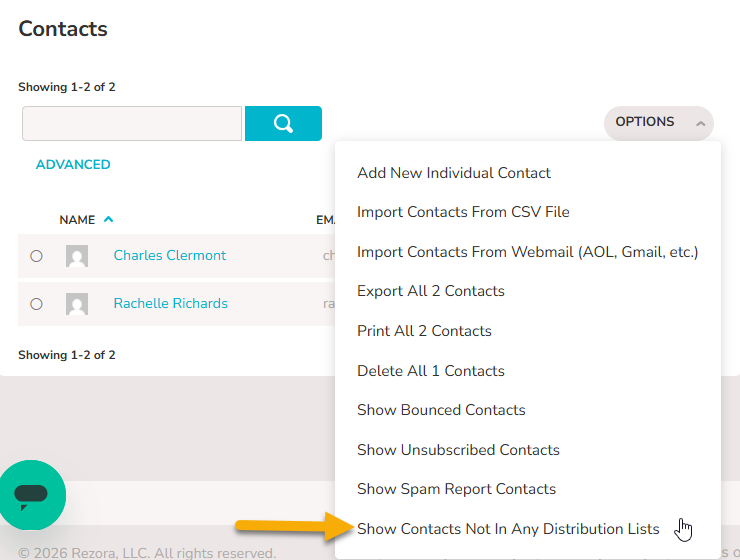
Click the Options drop-down menu.
Select Show Contacts Not In Any Distribution List
This will filter the main “Contacts” area on the left to show only contacts that are not currently in any distribution lists. You can then freely add those contacts to lists if wished.