How do I create an email? (Agent)
A basic overview from start to finish of how to create an email, then send it.
Written By Danny Schaffer
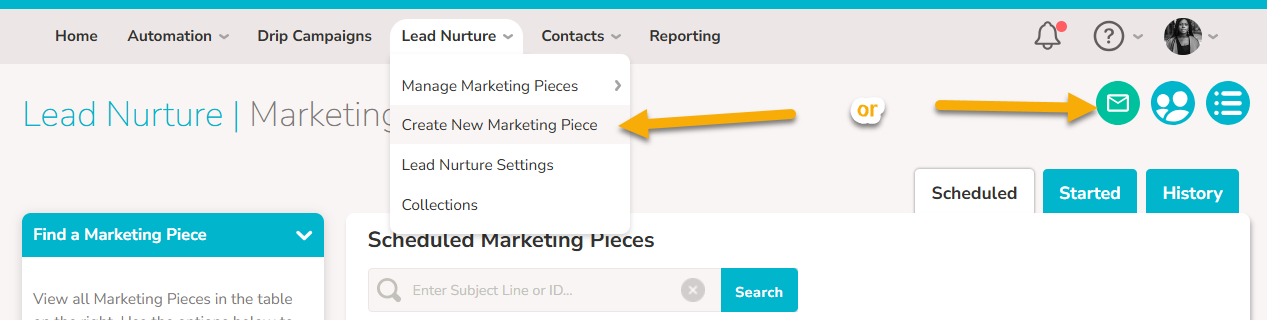
Go to a Lead Nurture page and click the Green email button.
Click on the template title that you wish to use.
Click Edit Content under the preview image.
After making changes in the email builder, click Save and Exit at the top right.
Add a Subject Line and Preheader, then click Save.
Click Send a Test Email and then preview the email in your inbox.
Note: You can return to started pieces at any time by hovering over Lead Nurture > Manage Marketing Pieces and clicking Started Marketing PiecesClick "Select Email Recipients" to send or schedule the piece via email, or click "Create Link" to get an online link to the piece.