Viewing Metrics in Your Account
Written By Danny Schaffer
You've been sending out marketing pieces for a little while, and now you want to capitalize on that by finding out which contacts are the most engaged.
In this video, we cover how to view all sorts of metrics in your account, including which of your contacts are most engaged, when contacts are opening your emails, and who has been clicking on which links in your piece.
History Page
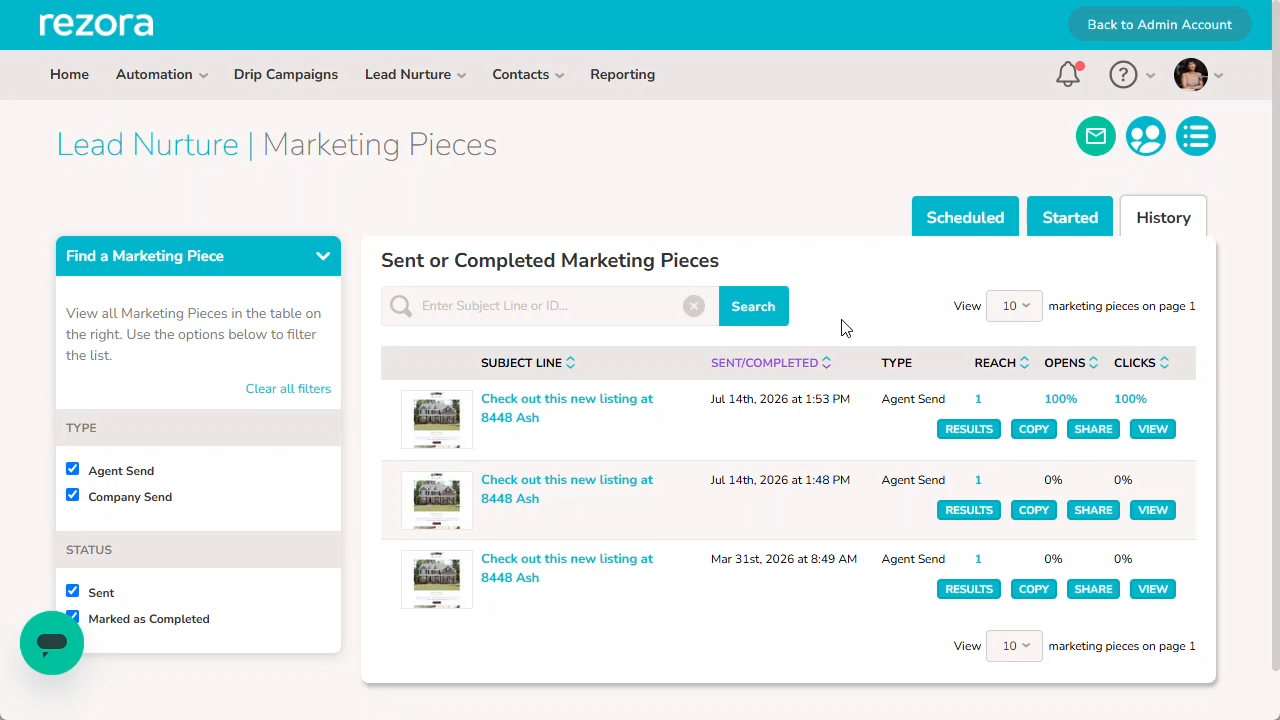
To view basic information about specific sends, navigate to the Lead Nurture or Automation > Manage Marketing Pieces > Past Sent Pieces page to reach the History of your sends for that product.
Your emails will be sorted by default from New to Old. You can view the blue numbers under Reach, Opens, and Clicks to get specific information on who you sent the piece to, who opened your email, or who clicked on links within that email.
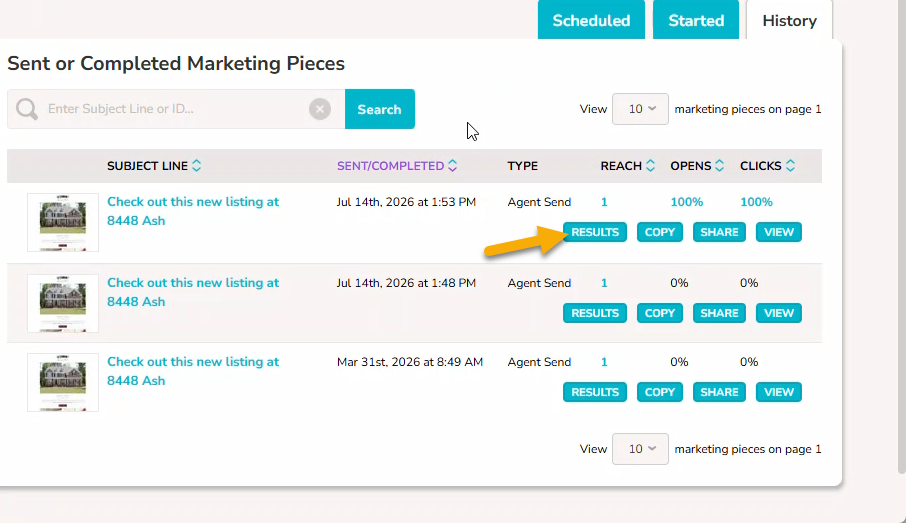
Results
You can click on the Results button under an email to view specific items like more detailed open/click rates with the count or to view what links were clicked and by whom.
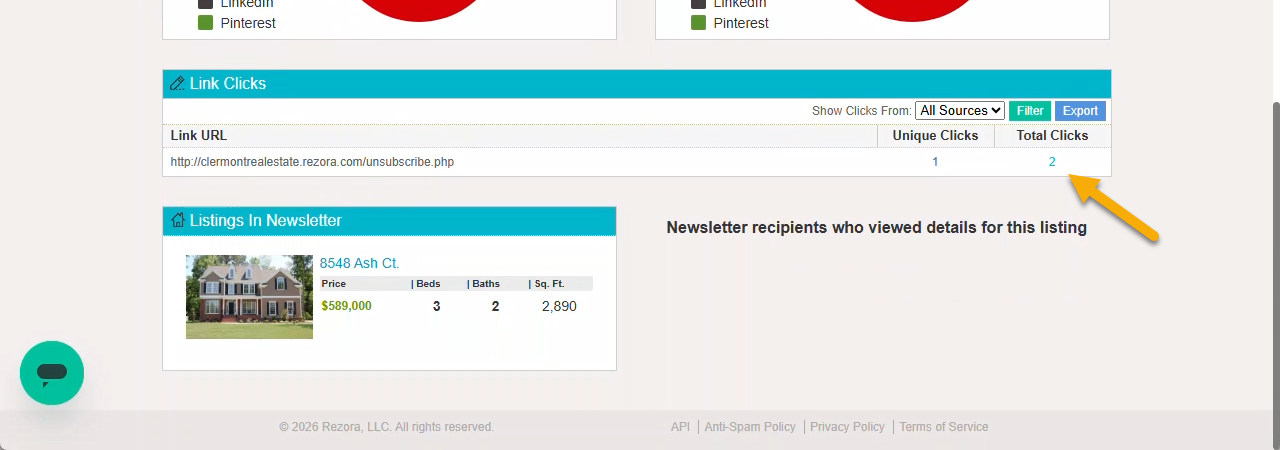
In the Link Clicks section you can view the Unique vs Total clicks for each link that has been clicked in the email.
There is a blue clickable number under Unique Clicks that you can click on to view who clicked on that specific link.
Reporting page
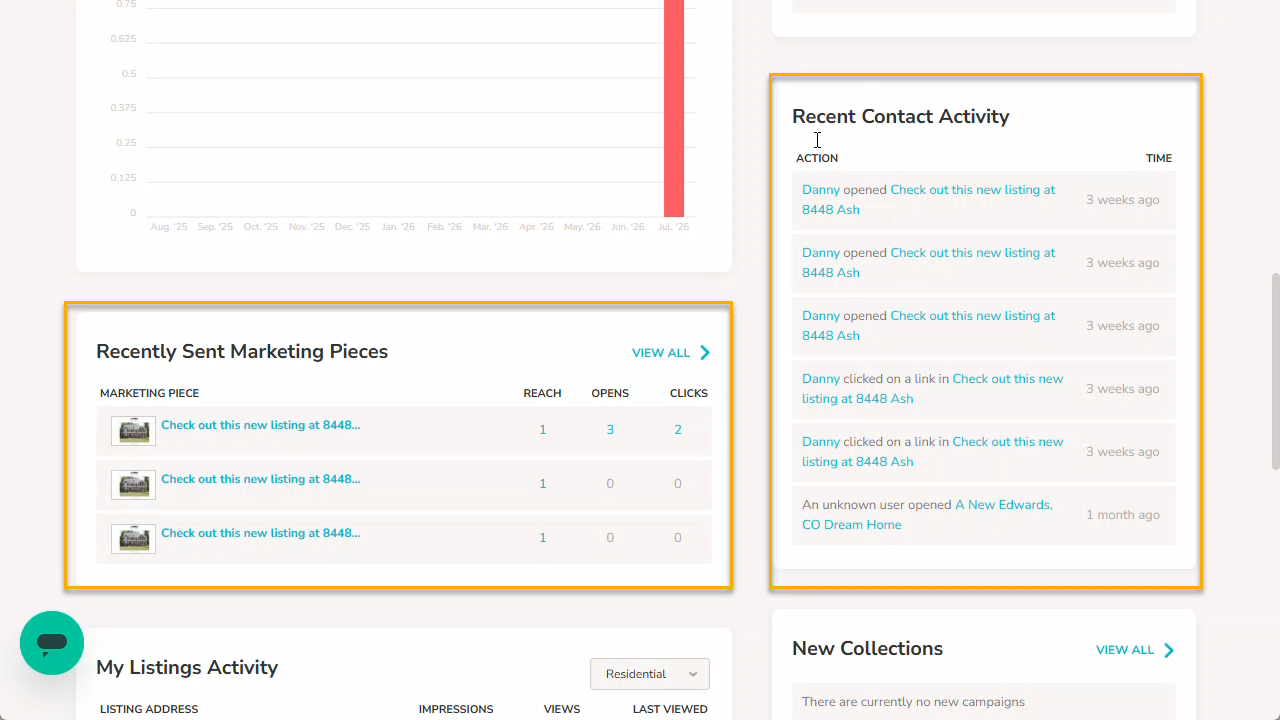
The Reporting page of your account has several account-wide statistics, including your My Monthly Emails section for easily spotting how many emails you’ve sent this monthly period.
A little further down the page, you can view your Recently Sent Marketing Pieces area to review your three most recently sent Lead Nurture emails or look at your Recent Contact Activity area to specifically see who has opened or clicked on what most recently.
A Note on the Open and Click Tracking setting in your account
If you have turned off Open and Click Tracking for your account, your Opens and Clicks for any sends while that setting is disabled will show a rate of 0%.
If you have individual contacts who have that setting turned off for any reason, they will not influence the Open and Click rate calculations.