Authorizing a Collection
Written By Danny Schaffer
Collections are specially organized collections of templates and company-scheduled sends.
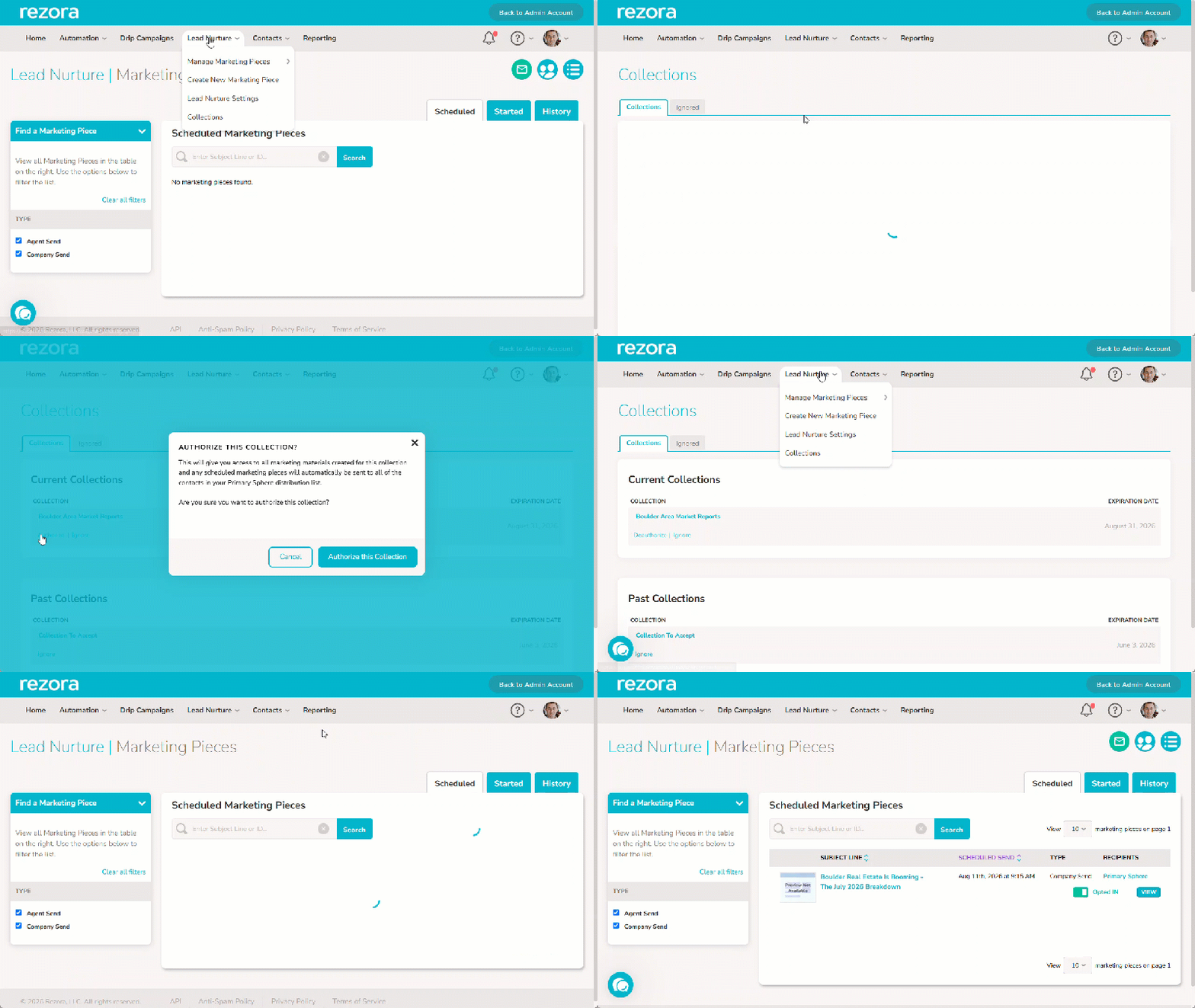
Authorizing a Collection will provide access to the templates contained within that collection, often containing already scheduled pieces by your company.
To view the Collections available to you, hover over Lead Nurture, then click on Collections. Currently available Collections will be in the Current Collections area.
To accept a collection, click Authorize under the name of the collection. This will accept the templates and currently scheduled company sends into your account (opted in or out according to your Lead Nurture settings).
You can De-authorize at any time on this same page.
Note: It may be worth checking how your company uses Collections, as they may be used to give multiple options for the same scheduled content. You may only wish to accept one of a similar collection to avoid overlap.