How do I cancel my subscription?
Written By Danny Schaffer
You can cancel your active subscription(s) anytime by:
Logging into your account,
Hovering over your profile picture at the top right, and then clicking My Products and Billing.
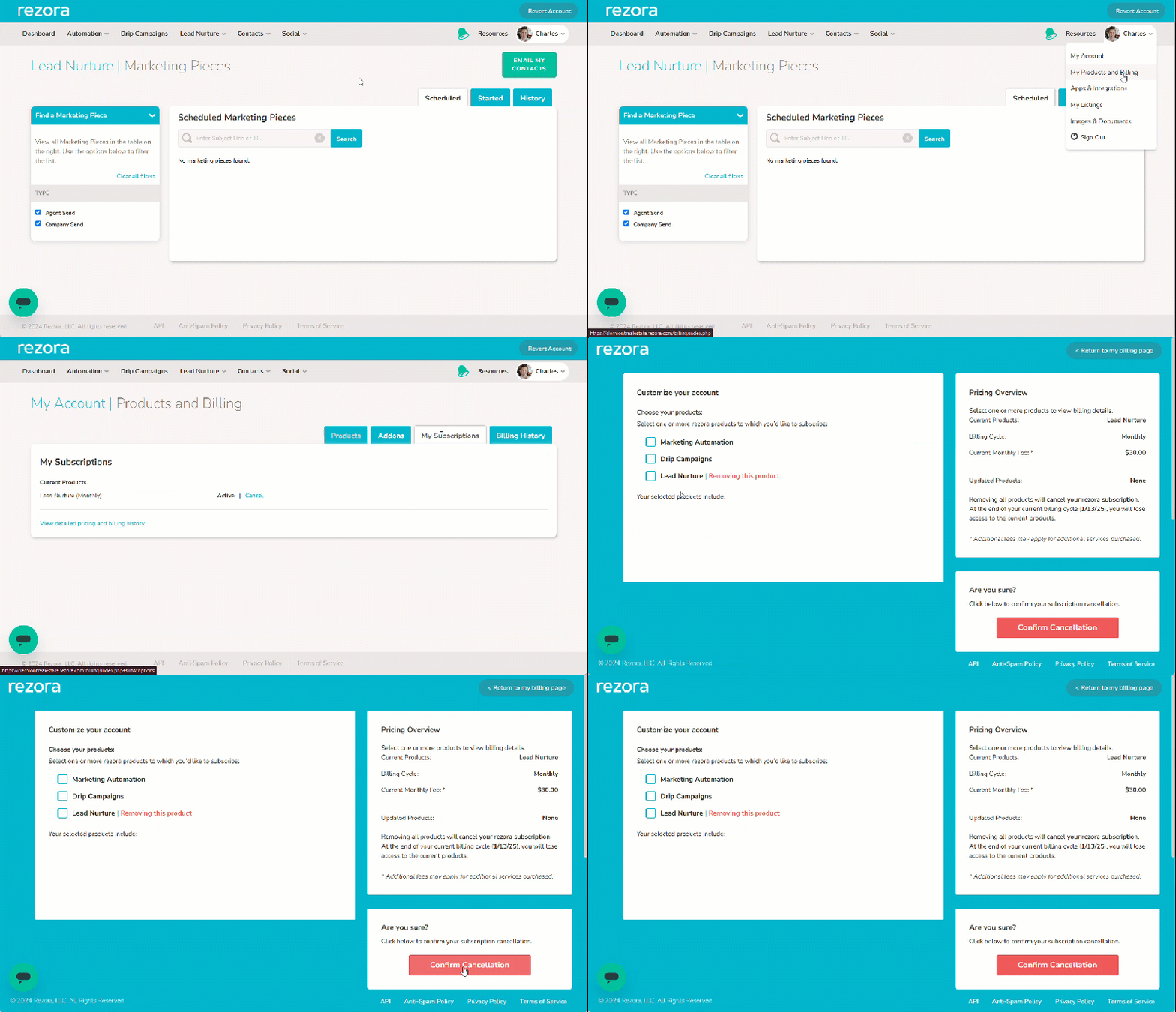
Click the "My Subscriptions" tab on the top right of the My Products and Billing page. This will show you an area with your account's currently active subscriptions along with a "cancel" button.
Click the "cancel" button for any subscription you wish to cancel, and you'll be taken to an updated Product Selection page. This page will show the product subscriptions that are being removed.
Click the Confirm Cancellation button at the bottom right and then proceed through the confirmation modal to finalize the subscription cancelation.